
There are many practical ways parametrics can enhance and speed up engineering workflow. A lot of time can be saved from an average week by:
- Rapidly testing framing options in real-time
- Creation of analysis models directly from Architectural information (including anything with difficult geometry)
- Assisting in collaboration with others by translating between different model formats
- Controlling and preventing wasted effort when dealing with design changes
- Using parametric techniques for structural analysis
- Creating visualisations and material schedules
- Generating detailed drafting (such as reinforcement) automatically
Generating Dynamic Framing
Parametrics allows engineers to generate geometry and other information based on rules and variable inputs. Input can be values, loading or other geometry and can be either live or fixed constraints.

For example, a truss element can be varied in length or height, or in the number of intermediate elements.
Once the tools are familiar, structural framing can be rapidly iterated to test multiple variations. This can be useful both in the initial stages of a project and also later, when adjusting for change during design development.
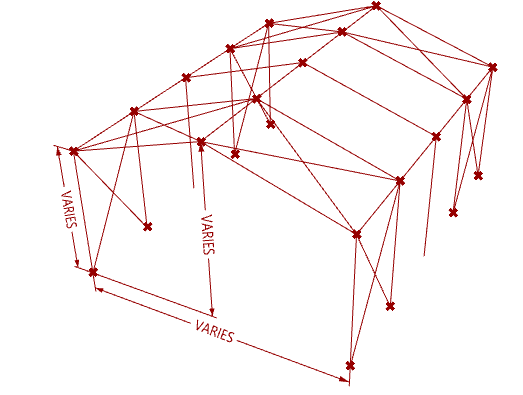
A more developed example may be a portal frame building, where span, spacing, height and location of braced bays can all be controlled on the fly.
Apart from geometry, other information that can be manipulated such as loading, section sizing and member rotation which can in turn be used to export to an analysis package.

Extract Geometry directly from Architecture
Structural framing can be extracted directly from Architectural BIM and used in analysis programs saving the manual model creation requirement for different formats. This is done by extracting the information from BIM and formatting it in a form that analysis programs can understand.
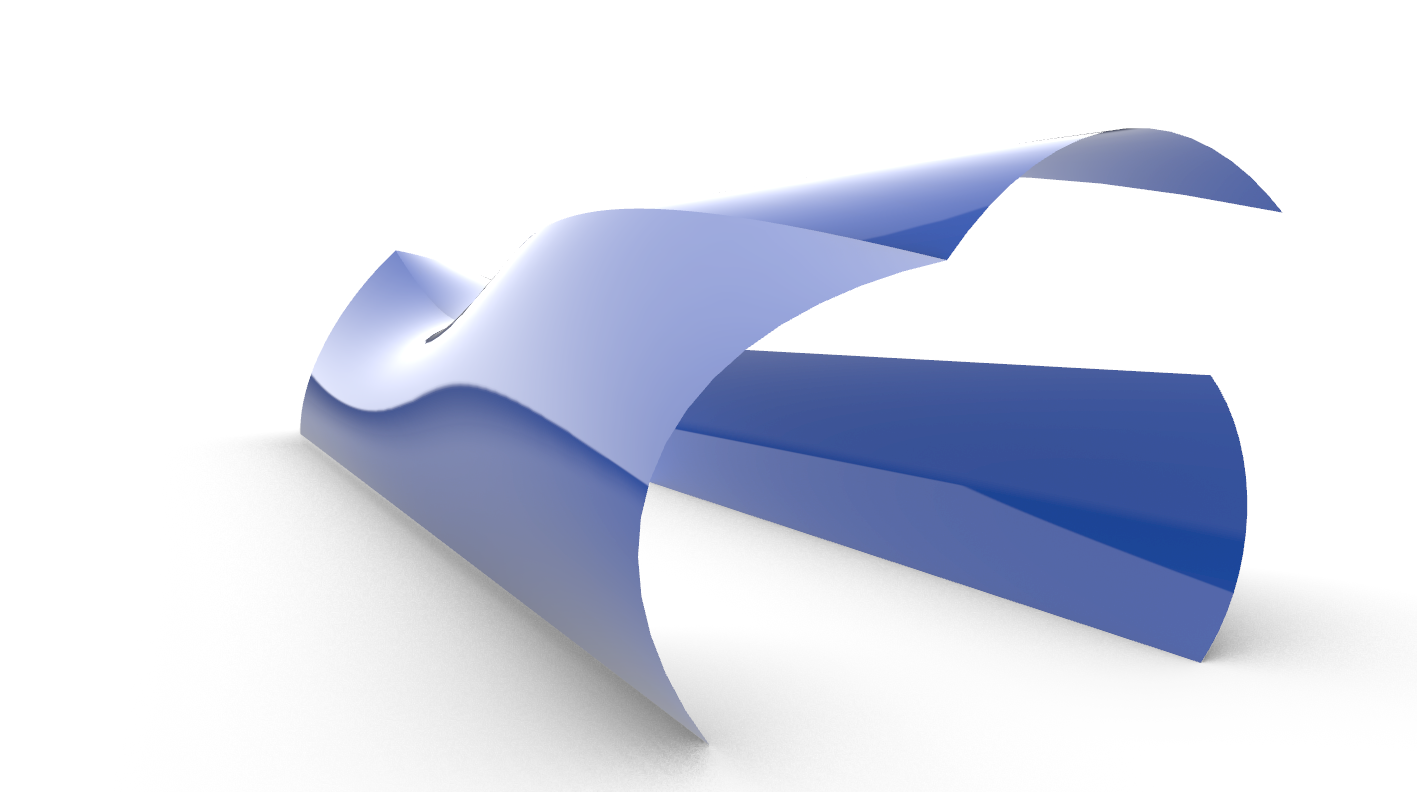
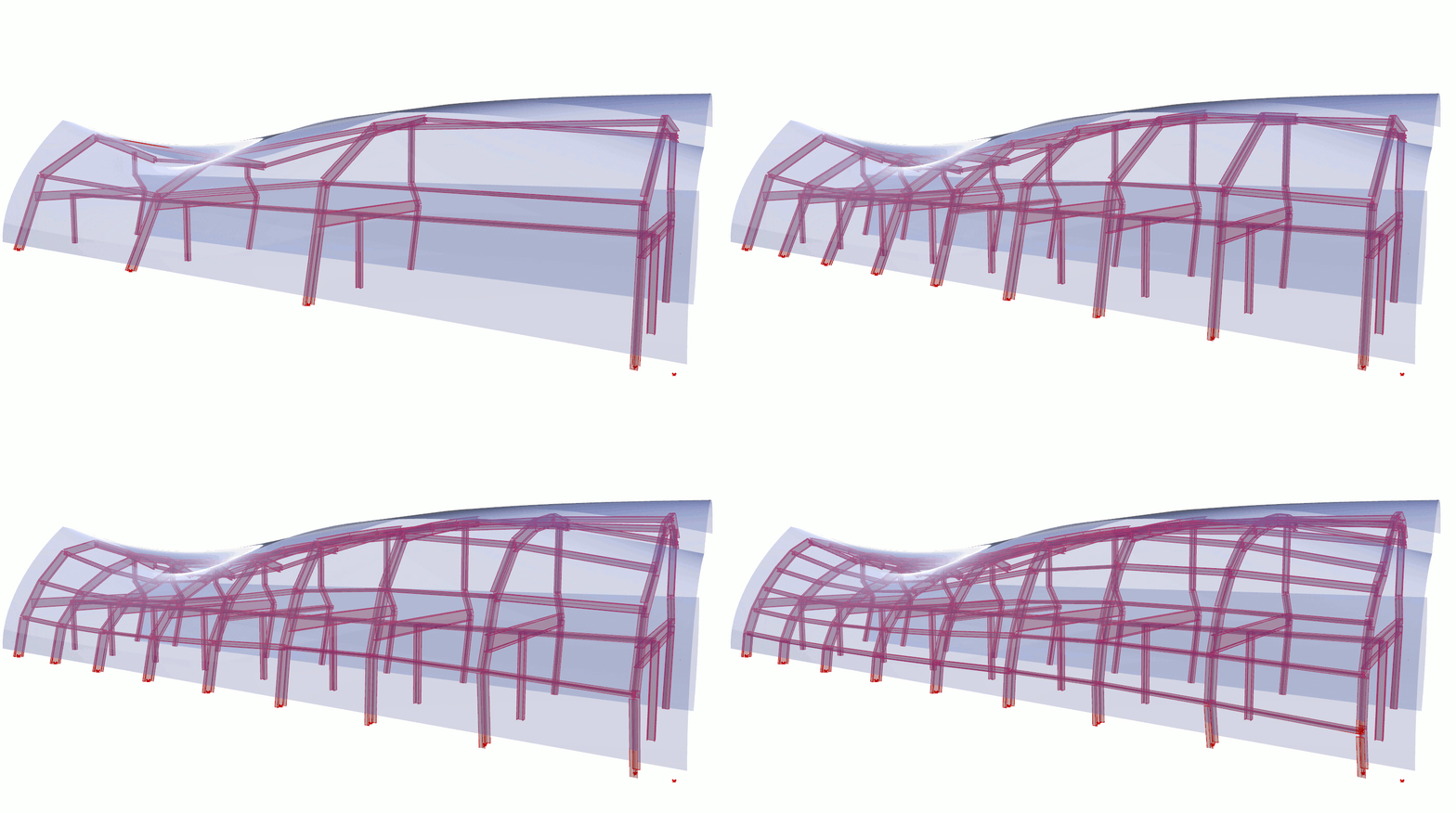
Structural framing can also be made to fit architectural geometry by projecting onto an envelope of the boundary surface. This is particularly useful where geometry is complex or has an organic or free-form shape. This technique can be combined with dynamic input to control spacing, segmentation and secondary framing.
This method is also invaluable if geometry changes during design development as the parametric script can automatically update framing to suit.
Transfer Geometry between programs
In an ever more more digital world, increasing numbers of programs and file formats are being developed for design information. This increased fragmentation means that the sharing of changes between designers has become more difficult over time or can revert back to pen and paper techniques. Parametrics can help to overcome this bottleneck because it can automate the transfer of information.
For structural engineers, geometry can be directly converted between Analysis models, avoiding the need to model (and re-model) by hand. This saves time and resources and usually results in higher accuracy.
For example, geometry and design information from an ETABS file may be converted directly into Spacegass.

Similarly, analysis model geometry can be transferred directly to the BIM model and then onto drawing sheets, avoiding the need for a second process of manual drafting to replicate work that has already been done.
For example, geometry from an ETABS model may be brought directly into Revit.

Parametric Structural Analysis
By extending the techniques used to generate dynamic framing, scripts can be created which undertake structural analysis and displays results in real time.
Analysis results may be taken directly from a truss for example, once loading and sections sizes are specified within the script.

This technique is usually more suited to repetitive design tasks rather than one off projects because creating parametric tools can require an investment of time to achieve results.
Designers should also be aware that analysis inside parametric scripts may be limited in terms of techniques, region or code requirements. For example, wind or earthquake loading specific to Australia would have to be carefully derived from the codes to be applicable.
For many purposes, the technique also requires additional plugins on top of the standard software. While free plugins provide some features, licenses are often required for full functionality. Well known plugins include Karamba and Kangaroo.

Visualisation and Material Schedules
Information from models can be extracted and exported in many forms including numerical data, text and model visualisations.
Sizes, lengths and tonnage can be formatted into tables for material schedules which can in turn generate charts and statistics.

The data can also be used to generate visualisations such as colour coded models and shapes. Colour coding can track any parameter available in the model and could include analysis information such as forces and loading.

Generate drafting documentation automatically
A lot of time can be saved by automatically generating documentation that would otherwise be time consuming to produce.
For example, reinforcement may be modelled into the BIM program directly from the analysis file rather than manually creating it.

As another example, a BIM model of the Max. deflected shape of beams can be generated which can be shared with the Architect or services engineers to study possible clashes.

Video Post
If you liked this information and wanted to find out more, please visit www.structuredparametrics.com. We can help with any of the advantages discussed.
 Structured Parametrics